☎ 1800 202 2912 | +91 9717773968 | info@inventanteducation.com

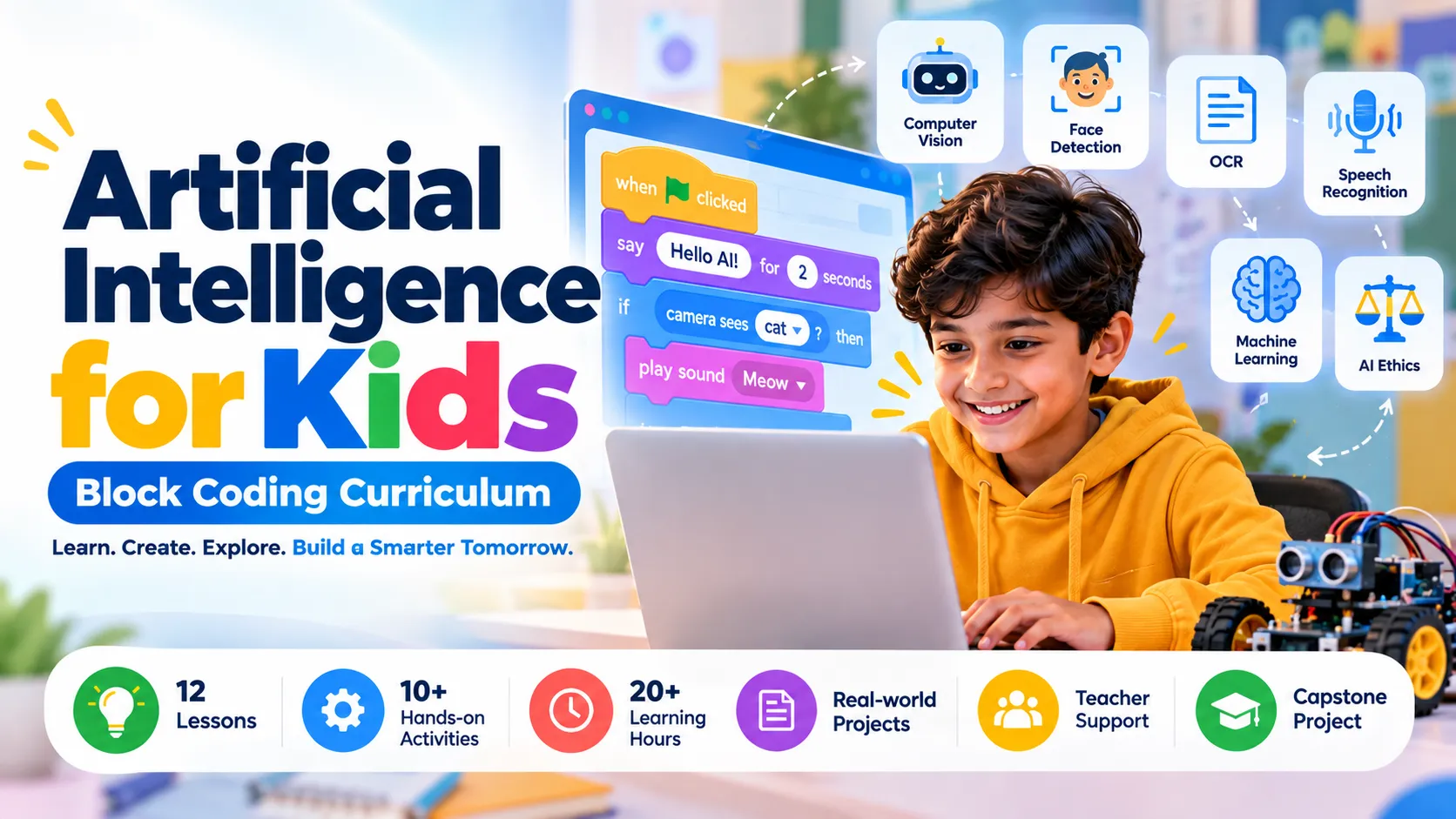
Artificial Intelligence for Kids: Block Coding Curriculum

This framework follows a similar progression—from AI fundamentals to coding, computer vision, machine learning, responsible AI, and a final project—while using original lesson names, activities, and learning outcomes for Inventant Education. The reference curriculum uses 12 lessons, practical projects, and a capstone structure.
1. Curriculum overview
- Programme: Artificial Intelligence for Kids – Block Coding
- Recommended level: Grade 5 and above
- Duration: 20+ hours, to be validated through classroom trials
- Structure: 12 lessons with practical activities and a capstone project
- Prerequisites: Basic computer familiarity; no prior AI experience required
- Learning approach: Concept exploration, visual coding, guided activities, project-based learning, and reflection
- Software: A compatible block-based coding platform with the required AI features
2. Learning outcomes
By the end of the programme, students should be able to:
- Explain basic AI and machine learning concepts.
- Create simple programs using visual coding blocks.
- Describe how computers interpret images, text, and speech.
- Train and test beginner-level machine learning models.
- Build interactive projects using AI features.
- Identify limitations, bias, privacy concerns, and ethical issues in AI.
- Apply their learning to a problem-solving project.
3. Detailed curriculum lesson plan

Lesson 1: Discovering Artificial Intelligence
Mode: Conceptual learning
Topics: What is AI? Human intelligence vs. artificial intelligence; everyday applications; benefits and limitations of AI.
Activity: AI Around Us — students identify AI applications in education, healthcare, transport, and the environment.
Learning outcome: Explain AI in simple terms and identify potential real-world applications.

Lesson 2: Getting Started with Block Coding
Mode: Practical coding
Topics: Coding interface, sprites, events, sequences, movement, and simple instructions.
Activity: Create an interactive animation in which a character responds to user input.
Learning outcome: Use visual coding blocks to develop a simple interactive program and debug basic errors.

Lesson 3: Exploring Computer Vision
Mode: Practical AI
Topics: Image processing, object detection, visual data, and real-world applications of computer vision.
Activity: Build an object-identification demonstration that recognises supported objects and displays results.
Learning outcome: Explain how computers analyse visual information and develop a basic computer-vision project.

Lesson 4: Face Detection and Facial Expressions
Mode: Practical AI
Topics: Face detection, facial landmarks, expression classification, and responsible camera use.
Activity: Create a demonstration that detects a face and responds to supported facial-expression labels.
Learning outcome: Distinguish face detection from facial recognition and understand the limitations of expression classification.

Lesson 5: Reading Text with AI
Mode: Practical AI
Topics: Optical Character Recognition (OCR), printed text extraction, text in images, and applications of document scanning.
Activity: Develop a simple text-scanning workflow that extracts readable text from a supported image.
Learning outcome: Describe OCR and identify how it supports digitisation and information processing.

Lesson 6: Understanding Speech Recognition
Mode: Practical AI
Topics: Speech-to-text, voice commands, audio input, and voice-enabled applications.
Activity: Create a basic voice-controlled assistant that responds to a small set of supported commands.
Learning outcome: Explain speech recognition and integrate voice input into an interactive project.

Lesson 7: Introduction to Machine Learning
Mode: Practical machine learning
Topics: Training data, labels, model training, testing, classification, and prediction.
Activity: Train a simple image-classification model to distinguish between two selected categories.
Learning outcome: Describe the machine learning process and explain how data quality influences model performance.

Lesson 8: Build an AI Game – Part 1
Mode: Practical machine learning
Topics: Gesture datasets, class labels, collecting examples, and training a gesture-classification model.
Activity: Collect examples of rock, paper, and scissors gestures and train a model using a compatible tool.
Learning outcome: Prepare training data and evaluate a basic gesture-recognition model.

Lesson 9: Build an AI Game – Part 2
Mode: Practical machine learning
Topics: Connecting an AI model to code, game logic, conditionals, scoring, and testing.
Activity: Complete the AI-powered Rock-Paper-Scissors game with player predictions, computer moves, and score tracking.
Learning outcome: Integrate a trained model with program logic to create an interactive application.

Lesson 10: Pose Detection and Gesture Recognition
Mode: Practical machine learning
Topics: Body keypoints, pose estimation, gesture classification, and interactive responses.
Activity: Develop a gesture-controlled character that responds to selected poses or movements.
Learning outcome: Explain pose detection and use supported pose or gesture features in a coded project.

Lesson 11: Responsible AI and Ethics
Mode: Discussion and reflection
Topics: Fairness, bias, privacy, consent, data security, AI-generated errors, and responsible innovation.
Activity: Examine a school or community scenario and identify the benefits, risks, and safeguards needed for an AI-based solution.
Learning outcome: Recognise ethical concerns and propose responsible ways to use AI.

Lesson 12: AI Capstone Project
Mode: Project-based learning
Topics: Problem identification, project planning, model or feature selection, coding, testing, and presentation.
Activity: Develop an AI-based prototype addressing a chosen problem, such as waste sorting, classroom assistance, or accessible learning.
Learning outcome: Apply AI concepts to a real-world challenge and communicate the project’s purpose, working process, limitations, and potential impact.
4. Suggested assessment framework
| Assessment component | Suggested weight |
|---|---|
| Concept understanding and quizzes | 20% |
| Practical coding activities | 25% |
| AI model training and experimentation | 20% |
| Capstone project | 25% |
| Presentation and reflection | 10% |
These are proposed assessment weights for Inventant Education and can be adapted to the school’s requirements.
5. Requirements for implementation
- Computers or laptops with internet access where required.
- A compatible block-based programming environment.
- Webcam and microphone for relevant vision and speech activities.
- Sample datasets and project worksheets.
- Teacher facilitation and appropriate student-data safeguards.
Software note: Validate each activity against the selected platform before publishing the curriculum. Some AI features require specific extensions, internet connectivity, or compatible hardware.
6. Inventant Education curriculum positioning
Suggested programme name:
Inventant AI Explorers – Artificial Intelligence Through Block Coding
Suggested tagline: Explore AI. Build Ideas. Create the Future.
This can be developed into an Inventant Education programme with teacher guides, student activity sheets, project files, assessment rubrics, and a completion certificate.
The lesson sequence above is an original proposed framework informed by the topics and progression of the referenced curriculum; it is not a reproduction of STEMpedia’s proprietary lesson materials. Before commercial publication, confirm that the selected software, activities, and any third-party resources are licensed for your intended use.